
The journal
What do JSON parsers do?
A clear explanation of what JSON parsers do, how they work, how they differ from JSON.stringify, and when to use each, with a worked JavaScript example and a practical checklist.
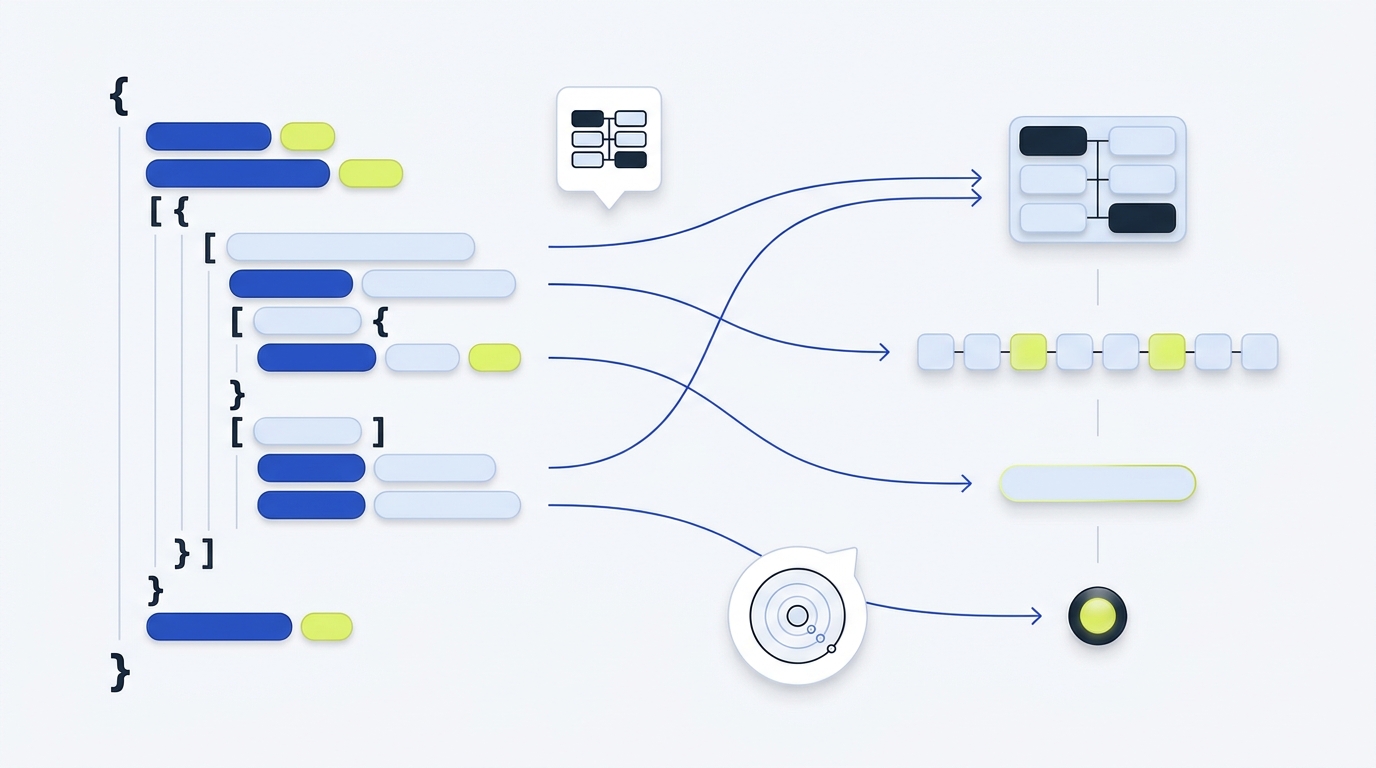
A JSON parser reads a JSON-formatted string and constructs the native data value it describes, such as an object, array, string, number, boolean or null. In JavaScript this is done by JSON.parse, which can also apply a reviver function to transform values during parsing MDN JSON.parse().
Parsers vs JSON.stringify: what each is used for
- Use a JSON parser to turn JSON text into a native value your program can use. In JS, that is JSON.parse(text, reviver?) MDN JSON.parse().
- Use JSON.stringify(value, replacer?, space?) to turn a native value into JSON text. When you need to preserve types that JSON cannot represent directly (like Map), pair stringify’s replacer with parse’s reviver so the value round-trips back to your original structure; MDN shows this pattern with Map by serializing entries and reconstructing them in the reviver MDN JSON.parse().
Quick contrast
- Parser input: JSON string. Output: native value.
- Stringify input: native value. Output: JSON string.
- Transform hooks: parser uses a reviver; stringify can use a replacer (see MDN’s combined example) MDN JSON.parse().
How JSON parsers work, in practice
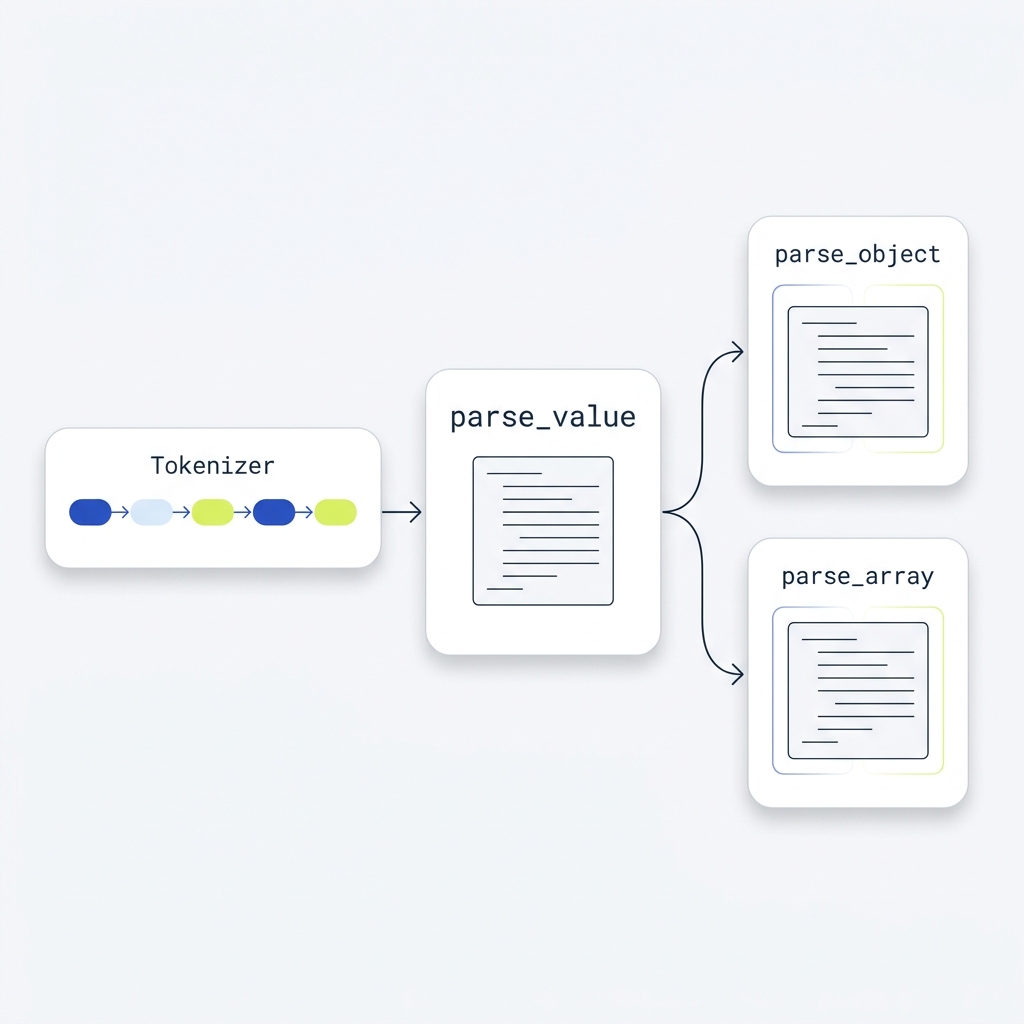
Most implementations break input into tokens (punctuation like { } [ ] : ,, literals true/false/null, strings, numbers) and then apply grammar rules that handle nesting. A common approach is recursive descent with entry points like parse_value, parse_object and parse_array, each calling the others to handle nested structures CS 430 JSON Parser (JMU) Sunshine2k simple JSON parser.
DOM-style vs streaming parsers
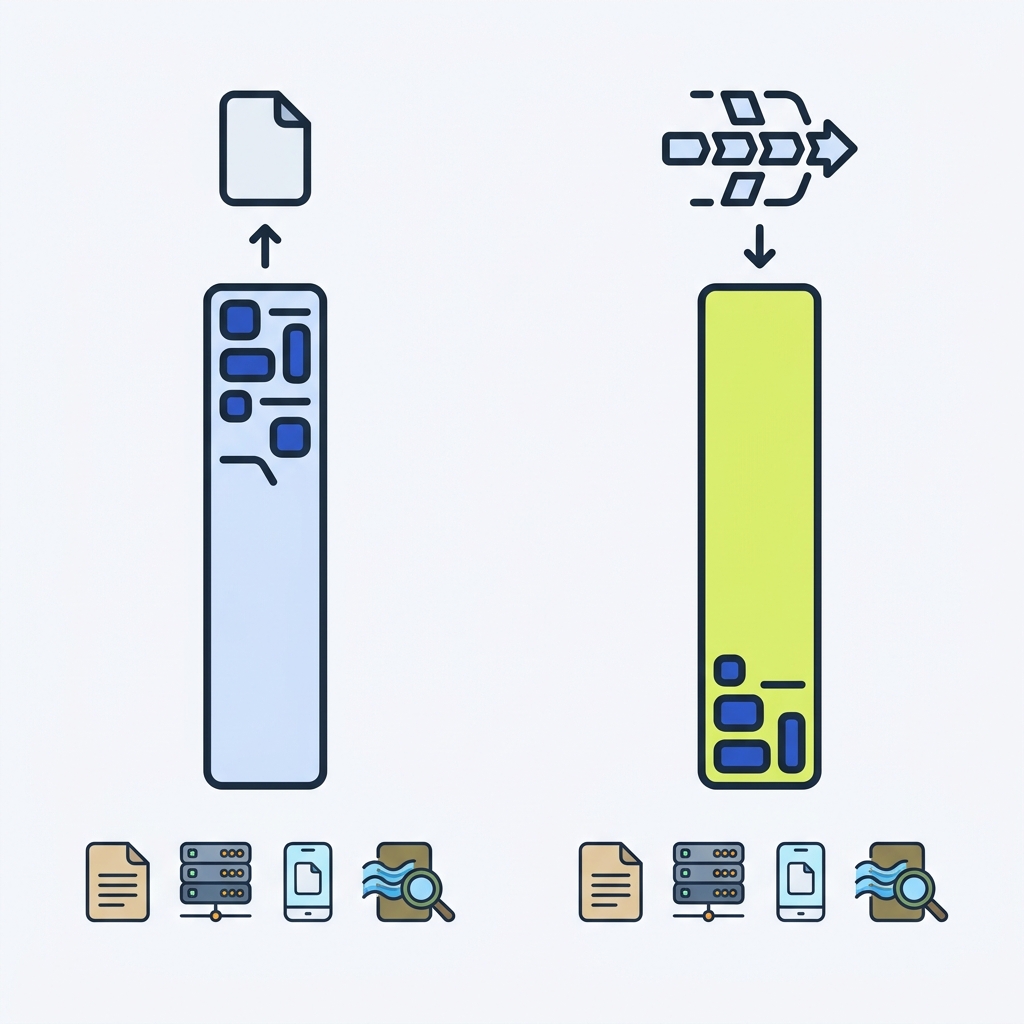
Libraries vary in how they expose results: many return a full in-memory tree for convenience; event or streaming parsers emit begin/end object/array and value events while reading, which reduces memory for large inputs SEGGER JSON Parser - IoT Toolkit. If you routinely process large logs, consider line-delimited JSON as an alternative format your code can stream incrementally: see our explainer on JSONL files.
What parsers return and typical errors
Given valid input, JSON.parse returns the corresponding value. If the string is not valid JSON, it throws a SyntaxError. Common mistakes include trailing commas in arrays or objects and using single quotes for strings; JSON requires double quotes for strings and object keys MDN JSON.parse().
- Numbers are parsed as JavaScript numbers, which can lose precision for very large integers. MDN suggests serializing those as strings and reviving to BigInt (or another precise type) in the reviver MDN JSON.parse().
Worked example: parse, then round-trip with stringify
1) Basic parsing
const text = '{"user":{"id":42,"name":"Ava"},"tags":["dev","api"]}';
const data = JSON.parse(text);
console.log(data.user.name); // "Ava"
console.log(Array.isArray(data.tags)); // true
2) Preserving non-plain types with replacer and reviver
JSON has no native Map type. You can serialize a Map as an array of entries, then revive it back to a Map, as shown on MDN:
const m = new Map([[1, "one"], [2, "two"]]);
const json = JSON.stringify({ kind: "Map", entries: [...m.entries()] });
const parsed = JSON.parse(json);
if (parsed.kind !== "Map" || !Array.isArray(parsed.entries) ||
    !parsed.entries.every(entry => Array.isArray(entry) && entry.length === 2)) {
  throw new TypeError("Unexpected Map envelope");
}
const revived = new Map(parsed.entries);
console.log(revived.get(2)); // "two"
This pattern mirrors MDN’s example combining replacer and reviver to round-trip types not directly representable in JSON MDN JSON.parse().
Choosing and using a parser well
- Small to moderate payloads: a standard library parser that returns a native tree is simplest.
- Large or unbounded inputs: prefer streaming/event APIs to bound memory use SEGGER JSON Parser - IoT Toolkit.
- Always validate shape after parsing with your own checks or a schema tool, and cap acceptable payload sizes in your API. For broader context on handling request bodies, see what a payload is in a REST API.
Quick checklist: safe and effective JSON parsing
FAQ
Do JSON parsers only return objects and arrays?
No. JSON text can be any valid JSON value, including a bare string, number, true, false or null; the parser returns that value directly MDN JSON.parse().
Can a JSON parser stream results?
Yes. Some libraries emit events (begin/end object or array, string, number, literal) as they read input so you don’t need to build the whole tree in memory SEGGER JSON Parser - IoT Toolkit.

A useful next step
Parsing and schema validation are separate steps. After parsing, check whether the values have the types your contract expects. What are the JSON Schema types?.