
The journal
What is the HTTP Accept header?
A clear explainer of the HTTP Accept header, how it differs from Content-Type, and how to use it in real requests.
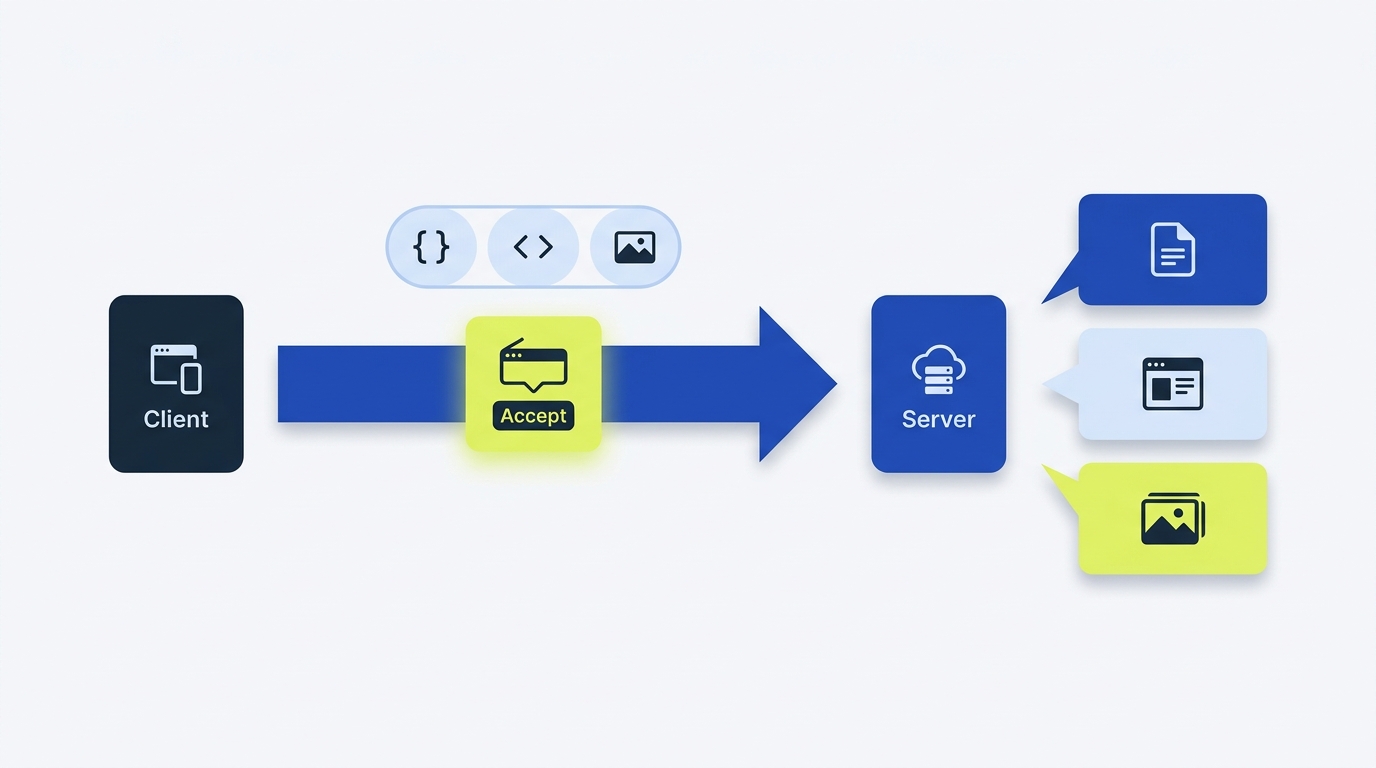
The HTTP Accept header is a request header where a client lists the media types it can handle and how much it prefers each, allowing the server to pick a representation and announce its choice with Content-Type. Browsers set Accept automatically for many requests; API clients typically set it explicitly when format matters. See MDN: Accept header.
Accept vs Content-Type: the practical difference
Accept describes what the client would like to receive. Content-Type describes what is actually in the current message body. During a request, the server performs content negotiation using Accept and then returns a response whose format is indicated by Content-Type. MDN explains that the server informs the client of its selection with the Content-Type response header MDN: Accept header. The general role of headers as metadata for requests and responses is covered in the MDN glossary MDN: HTTP header glossary.
GET /users/123 HTTP/1.1
Host: api.example.com
Accept: application/json

HTTP/1.1 200 OK
Content-Type: application/json

{"id":123,"name":"Rita"}
Syntax and expressing preferences
Accept supports precise types, wildcards, and optional quality weights (q values) to express preference order. Examples from MDN syntax: type/subtype, type/*, and */*. The q parameter is a relative weight between 0 and 1 MDN: Accept header.
# Exact type
Accept: application/json

# Wildcards
Accept: image/*
Accept: */*

# Multiple types with preferences (higher q is more preferred)
Accept: application/json; q=1.0, application/xml; q=0.7, text/*; q=0.5

When to send Accept (and when not to)
- APIs that can return multiple formats: send Accept to request JSON, then verify the actual Content-Type before parsing; the header is not a guarantee.
- Documents and media: specify image/* or a specific image subtype when you only handle certain formats.
- Automations and integrations: set Accept explicitly and handle unsupported formats or unexpected response Content-Type values.
Defaults: command-line tools like curl typically send Accept: */*, meaning any type is acceptable; browsers set context-sensitive values (for example, different Accept for HTML navigation vs image fetches) MDN: Accept header.
Note: Accept is a CORS-safelisted request header, so browsers may send it in cross-origin requests. The values themselves must avoid bytes disallowed by the safelist rules MDN: Accept header. This is about browser access controls, not API authorization.
How servers use Accept
Servers compare the media types in Accept to what they can produce and select the best match. The response includes Content-Type to state the chosen representation MDN: Accept header. If no exact match exists, servers often fall back to a default or a more general type that still matches a wildcard. A server can also return 406 Not Acceptable or disregard the preference. Check the API contract and response Content-Type rather than assuming negotiation succeeded.
Common mistakes and reliable fixes
- Confusing Accept with Content-Type: Accept is about what you want back; Content-Type is about what is in this message body.
- Relying on client-side order alone: express preferences with q values rather than assuming list order is honored.
- Overly broad defaults: sending */* may yield HTML when you expected JSON. Be explicit for APIs.
- Malformed syntax: misspelling media types or misplacing q values leads to ignored preferences.

Concrete request examples
Request JSON for an API
GET /v1/items HTTP/1.1
Host: api.example.com
Accept: application/json
# Server chooses JSON and announces it with Content-Type

HTTP/1.1 200 OK
Content-Type: application/json
Prefer JSON but accept XML as fallback
GET /v1/items/42 HTTP/1.1
Host: api.example.com
Accept: application/json; q=1.0, application/xml; q=0.6
Ask for any image format
GET /media/logo HTTP/1.1
Host: static.example.com
Accept: image/*
Checklist: set and debug the Accept header
Related reading

FAQ
Is Accept required on every request?
No. Browsers and many tools set appropriate defaults. Send it explicitly when an endpoint offers multiple representations and you need a specific one MDN: Accept header.
Does Accept replace authorization?
No. Accept is about content negotiation. Authentication and authorization use different mechanisms (for example, Authorization headers). See MDN’s header overview for the distinct roles headers play MDN: HTTP header glossary.
A useful next step
When comparing JSON-based representations, CheckMySchema explains how JSON and JSON-LD differ. JSON vs JSON-LD: the key difference.